Google Ads for DSOs: How Dental Groups Grow New Patients Office by Office
Dental groups grow new patients fastest when every office runs as its own local business: its own geography, phone number, landing page and new-patient target.
· 6 min read
The short answer
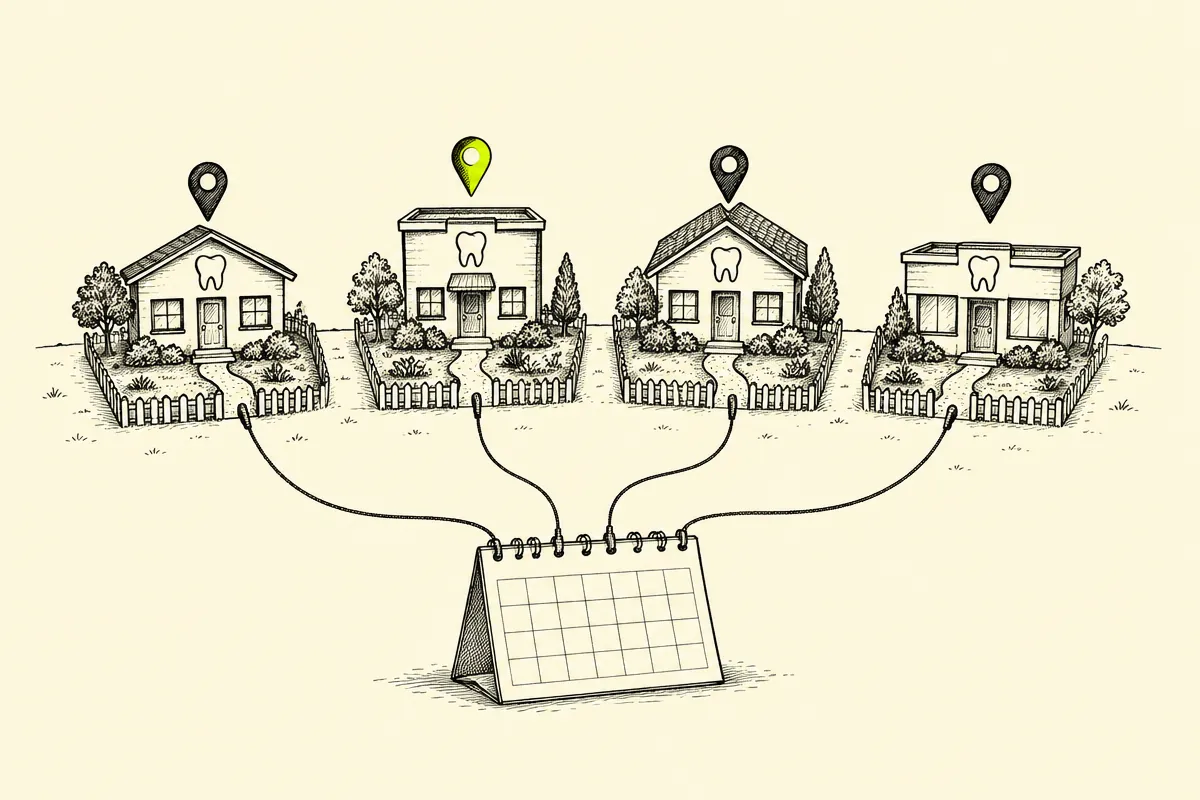
DSO Google Ads works best when every office runs as its own local business inside one shared account structure. Each office gets its own campaign or ad group, its own geographic radius, its own budget and a landing page with that office's address and phone number. Brand searches sit in a separate campaign, and booked new-patient visits drive bidding. That setup keeps offices from bidding against each other and points spend at the patients the group wants most.
One group, many local businesses, one clear target per office.
Start with the value of a new patient
A dental group earns its return from new patients who book, show up and come back. In a default report, a click, a form fill and a two-second call can all look alike, and only one of them fills a chair. Before any keyword work, agree on what a booked new-patient visit is worth to the group, then set targets office by office.
- Separate new patients from existing patients calling to reschedule or confirm.
- Count booked and completed first visits, beyond raw lead volume.
- Track each office on its own cost per new patient.
- Compare offices with open chairs against offices with a full schedule, and fund them differently.
This framing changes every decision that follows. Budget moves toward the offices with capacity, creative speaks to the services each office wants to grow, and reporting shows the group which locations are pulling their weight.
Seven moves that keep DSO offices in their own lane
1. Give every office its own geography
Google Ads lets you target the area around each office by radius or by named location, and lets you reach people in or regularly in those areas. Build each office's campaign around the drive-time area its patients actually come from. When two offices sit close together, assign the shared zip codes to one office on purpose, so the group stops paying twice for the same patient.
2. Run brand in its own campaign
Searches for the group's name or an office name are the warmest demand a DSO has. A separate brand campaign protects that demand, keeps brand clicks out of new-patient reporting and gives generic campaigns an honest scorecard. Map each office-name search to that office's ad and landing page so the patient lands on the right front desk.
3. Build one landing page per office
A patient who clicks an ad for the north office expects that address, those hours, the insurance accepted there and a phone number that rings at that front desk. A dedicated office page with a short booking form and a tap-to-call number gives that patient a direct path to an appointment. Keep the group homepage for brand visitors who are still choosing a location.
4. Put the phone at the center of tracking
For many dental offices, the phone is where new patients book. Call assets put a dialable number on the ad itself, and a tracked number per office ties each call back to the campaign and search that produced it. Set a minimum call length that reflects a real booking conversation, then review it against actual bookings each month. The call tracking guide for multi-location businesses covers the setup office by office.
5. Feed bidding the new-patient signal
Make booked new-patient visits the primary conversion, and keep reschedules, page views and short calls secondary. The difference is covered in primary vs. secondary conversions in Google Ads. When bookings live in a practice management system or CRM, import them as offline conversions so Smart Bidding learns which offices and searches produce real patients.
Google's customer lifecycle goals add another lever for groups focused on growth. Customer acquisition settings let Smart Bidding bid higher for new customers than existing ones, or bid only for new customers. Google's help page lists at least one Purchase conversion goal as a requirement for these settings, so confirm the fit with your conversion setup before switching them on.
6. Tie each office's address to the ad
Location assets connect each office's address and hours to the ad, as covered in Google Ads location assets for multi-location brands. Keep every office's Google Business Profile current, including hours, phone number and a steady flow of fresh, genuine reviews, so the details in the ad match what patients find on Maps.
7. Review AI settings before they rewrite claims
Dental sits in healthcare, and approved wording matters. Search Engine Journal points out that AI Max text customization can pull in copy that differs from approved messaging, final URL expansion can send clicks to unwanted pages, and Performance Max asset optimization can generate new text, image and video. Review those settings with your compliance lead, keep every claim to what each office can support, and keep a log of approved ads. Our post on healthcare compliance and AI settings in Google Ads walks through each setting.
How the structure fits together
| Layer | What it holds | Why it matters for a DSO |
| Brand campaign | Group name and office names | Protects warm demand and keeps reporting honest |
| Office campaigns | Office geography, budget, ads and landing page | Keeps offices from bidding against each other |
| Conversions | Booked new-patient visits as primary | Points Smart Bidding at real patients |
| Assets | Calls and locations per office | Puts the right phone and address in the ad |
A monthly operating rhythm for dental groups
- 01Week 1: review cost per new patient by office and move budget toward offices with open chairs.
- 02Week 2: read search terms by office and add negatives for job seekers, dental school and supply searches.
- 03Week 3: listen to a sample of calls per office and confirm the call-length threshold still matches real bookings.
- 04Week 4: check reviews, location assets and landing page details such as hours, insurance and providers for every office.
- 05Every month: test one ad variable per priority office, such as the new-patient offer or the booking call to action.
This rhythm keeps a growing group focused on the numbers the business runs on. New offices slot into the same structure the day they open, and the group sees early which locations need more demand and which need more chairs.
How SalesX runs DSO Google Ads
SalesX manages Google Ads for U.S. dental groups with each office tracked as its own profit center: its own geography, its own number, its own landing page and its own new-patient target. The dental industry page and the multi-location PPC strategy outline how that structure scales across a portfolio.
One example from our work: a multi-location dental group (DSO) we partner with under NDA saw 40–50% more leads at the same ad spend within 60 days, and 80% of those leads became new patient visits.
Want a senior strategist to pressure-test your account? Request a free X-Audit. It is built for U.S. advertisers spending $50k+ per month, and the analysis typically takes three to five working days after access is approved.
Request a free X-AuditThe bottom line
A DSO grows fastest when every office has its own lane, its own number and its own new-patient target. Build the structure once, feed it real booking data, and the group's budget follows the offices and searches that fill chairs.
Sources and further reading
- Google Ads Help, Target ads to geographic locations
- Google Ads Help, About call assets
- Google Ads Help, About location assets
- Google Ads Help, About customer lifecycle goals
- Search Engine Journal, AI In Regulated Paid Media: The Default Settings That Put Compliance At Risk
- Search Engine Journal, Google Ads Expands Customer Lifecycle Goals In Search And Shopping
Related reading
FAQ
- What is the best Google Ads structure for a DSO?
- Give each office its own campaign or ad group with its own geography, budget, ads and landing page, and keep brand searches in a separate campaign. That structure keeps offices from competing for the same patient and shows the group cost per new patient by location.
- How do offices in the same dental group stop bidding against each other?
- Assign overlapping zip codes to one office on purpose, keep each office's radius matched to where its patients come from, and send office-name searches to that office's own ad and page. Shared budgets across many offices hide this overlap, so independent office budgets make it visible.
- Which conversions matter most for dental group Google Ads?
- Booked and completed new-patient visits matter most, followed by qualified calls from new patients. Reschedules, page views and short calls work best as secondary conversions, so Smart Bidding chases the actions that fill chairs.
- What does a free X-Audit cover for a dental group?
- A senior strategist reviews the live account after you send the CID and approve the access request, and returns a 30- to 50-page analysis. It is free for U.S. accounts spending $50k+ per month and typically takes three to five working days after access is approved.
Next step
Want this analysis run on your account?
SalesX audits Google Ads programs spending $50k–$500k+ per month and returns a prioritized roadmap, not a checklist.
Request a Free X-Audit